pdfcat
|
|
pdfcat
|
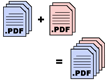
pdfcat is a Unix/ Windows/ Mac commmand-line utility that concatenates selected pages from PDF files into a new PDF file. It's based on the PyPDF2 library and lives in the Sample_Code directory there. (zip download link). I use it to clean up the results of scanning my old notebooks. Here's the help screen to give you an idea of what it's like to use:
usage: pdfcat [-h] [-o output_file] [-v] filename [page range...] ...

Concatenate pages from pdf files into a single pdf file.

Page ranges refer to the previously-named file.
A file not followed by a page range means all the pages of the file.

PAGE RANGES are like Python slices.
        Remember, page indices start with zero.
        Page range expression examples:
            :     all pages.                   -1    last page.
            22    just the 23rd page.          :-1   all but the last page.
            0:3   the first three pages.       -2    second-to-last page.
            :3    the first three pages.       -2:   last two pages.
            5:    from the sixth page onward.  -3:-1 third & second to last.
        The third, "stride" or "step" number is also recognized.
            ::2       0 2 4 ... to the end.    3:0:-1    3 2 1 but not 0.
            1:10:2    1 3 5 7 9                2::-1     2 1 0.
            ::-1      all pages in reverse order.

EXAMPLES
    pdfcat -o output.pdf head.pdf content.pdf :6 7: tail.pdf -1
        Concatenate all of head.pdf, all but page seven of content.pdf,
        and the last page of tail.pdf, producing output.pdf.

    pdfcat chapter*.pdf >book.pdf
        You can specify the output file by redirection.

    pdfcat chapter?.pdf chapter10.pdf >book.pdf
        In case you don't want chapter 10 before chapter 2.

positional arguments:
  filename [page range...]
  filenames and/or page ranges

optional arguments:
  -h, --help            show this help message and exit
  -o output_file, --output output_file
  -v, --verbose         show page ranges as they are being read
--Steve Witham Up to my home page.